
The Best Website Layout for a One-Bedroom Cabin
By Direct Stay Solutions ·
I’d build a one-bedroom cabin site around one good property page. Show the reason to stay first, then make it easy to see who sleeps where, what’s private, and how to check dates. I’ll show how we did that for the Couples Retreat at Norfork Lake.
Show what makes the cabin worth booking on the first screen
On a phone, I want to see the cabin name, where it is, who it sleeps, and the reason I’d pick it. Put those beside a real photo and a Check dates button. A couple looking for a lake weekend should see the actual view or private hot tub before they have to open the gallery.
Put the rest of the page in the order guests decide
- Bedroom and bath. Show the bed size and whether the bedroom has a door. Say where the bathroom opens and whether it has a tub or shower.
- Living and kitchen. Use a wide photo so guests can see how the rooms connect. Say what they can actually cook and how many can sit down to eat.
- Outside and arrival. Show the view, where guests park, and the route to the door. Label which deck, hot tub, or pool is private or shared.
- Dates and terms. Repeat Check dates after the photos and practical details. Give guests a way to see the total and terms before they pay.
Explain who sleeps where and how they get to the bathroom
Say fictional Fern Porch Cabin has one queen bedroom and a sofa bed. I’d write: “The queen is in a separate bedroom. If you use the sofa bed, the living room becomes the second sleeping area. The bathroom opens off the hall.” Show the sofa both ways if guests can sleep on it. If the only bath is through the bedroom, say so. Use the same detail in the kitchen: two burners and a mini-fridge tell guests what they can cook.
- EntryTwo steps from the parking pad in this sample.
- Main roomKitchen and sitting area share one room.
- Private bedroomOne queen bed behind a door. Any sofa bed belongs under living room, with its own privacy note.
See how we laid out the real Couples Retreat
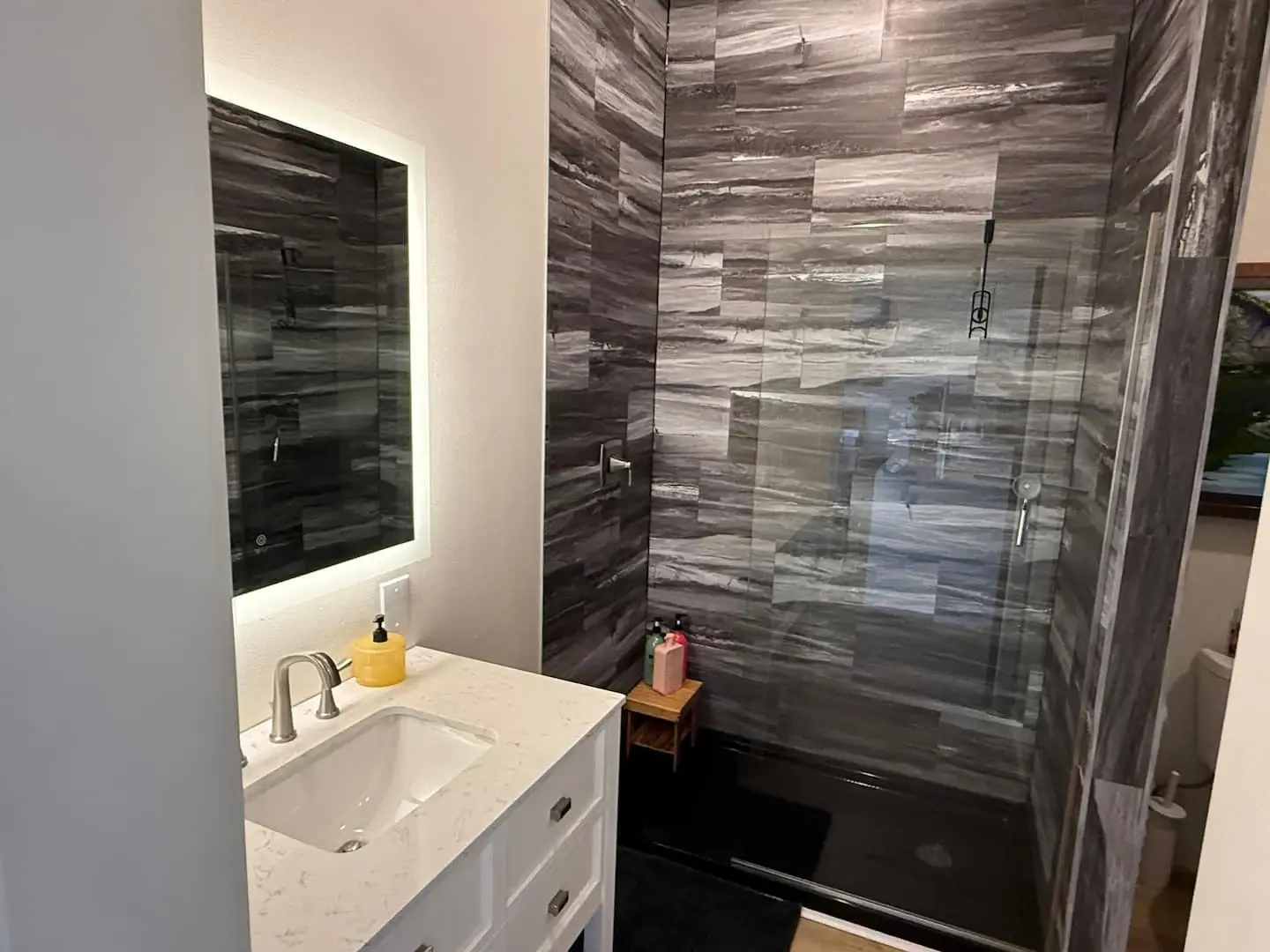
At Norfork Lakefront Cabins, we built Overlook’s page for two people coming to get away. It leads with the lake setting, one bedroom, and a private hot tub. The gallery shows how the living room, bathroom, and outdoor spaces actually look. The estate’s pool and decks are presented as shared amenities, so guests can tell what comes with this cabin and what they’ll share. Open the live Couples Retreat gallery.

Send both dates buttons to the right cabin
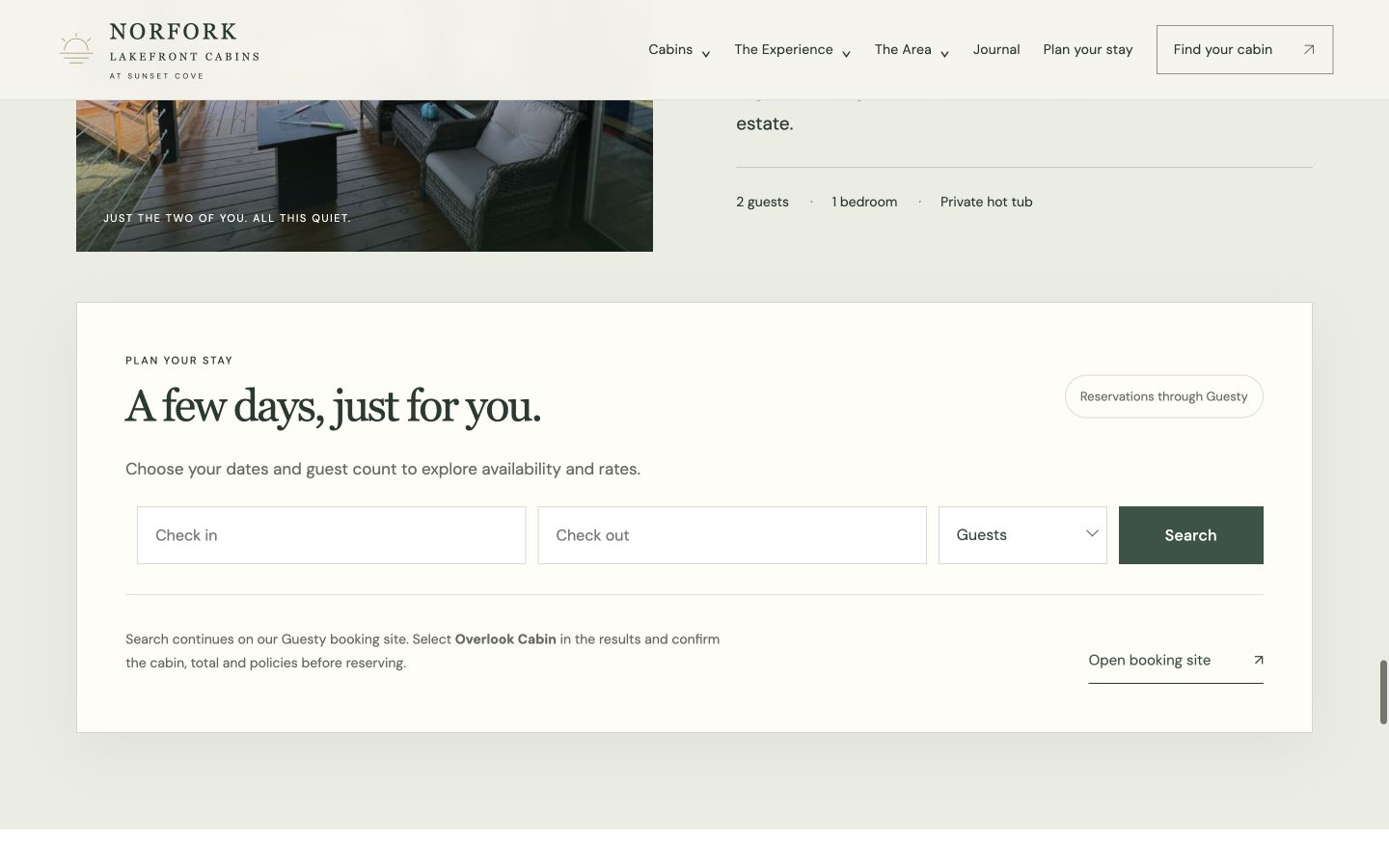
The Couples Retreat has its own Guesty availability section. A guest chooses dates and party size there, then continues to the Guesty booking site. Here’s the real screen. Try Overlook’s live availability.
Read it like a guest on a phone
Ask someone who hasn’t seen the cabin to find the bedroom, tell you how they’d reach the bathroom, and say who gets to use the hot tub. Have them try both dates buttons and check that each opens the correct cabin. If a guest goes back to check a photo or fee, see whether their dates are still there when they return. If the tool can’t keep them, put those answers beside the calendar. See more mobile booking checks.
Use a search title that describes the real stay, such as “Norfork Lake One-Bedroom Cabin with a Private Hot Tub.” Keep the property page at one stable URL, link to it from your cabin list or local guide, and make sure it’s in the sitemap. In Search Console, check whether the page appears for the searches it answers. If tracking is set up, use GA4 to see whether visitors check dates and your booking system to confirm reservations. See how to check what guests search for.
Give the cabin a site that fits the stay
At Direct Stay Solutions, we build the page around what guests came for, put the room and access details where they’re easy to find, and connect compatible live dates. Managed Website includes ongoing site care and a monthly Search Console review and report. See the Norfork project. See website plans.
Meet Dane, founder of Direct Stay Solutions

I’m Dane. On a one-bedroom cabin site, I’d start with the photo that makes someone want the weekend, then show the details that tell them whether the cabin fits. Send me your listing and a wide room photo. I’ll show you what I’d put first and where I’d place the booking button.