
How to Write Vacation Rental Property Descriptions
By Direct Stay Solutions ·
When I write a rental description, I picture the guest sending the link to the rest of the group. They want to know what makes the place worth booking, who sleeps where, and whether they need to pack beach chairs. Start with the best part of the stay. Then give them the details they’d otherwise have to message you for.
Walk the property before you write
Start in the parking spot and walk the same route a guest will take with bags. Count the steps. Check the beds, which rooms close off, what’s in each bathroom, and how many people can actually sit at the dining table. Open the kitchen cabinets and the gear closet. Then read your recent reviews. If people keep mentioning coffee on the deck or how easy it was to get to dinner, there’s your opening.
Start with the reason to stay, then explain the layout
In the first two sentences, name the type of rental, where it is, and what makes the stay memorable. “Spend the morning on the screened porch and drive to the state park after breakfast” gives readers a scene they can picture. Follow it with the details that decide whether the place works for their group.
- Bedrooms and bathrooms. List the bed sizes by room and floor, and say whether a loft is open or a sofa bed is in the living room. Give the maximum guest count. Say which bath is attached to a bedroom, which is off the hall, and whether each has a tub, shower, or just a toilet and sink.
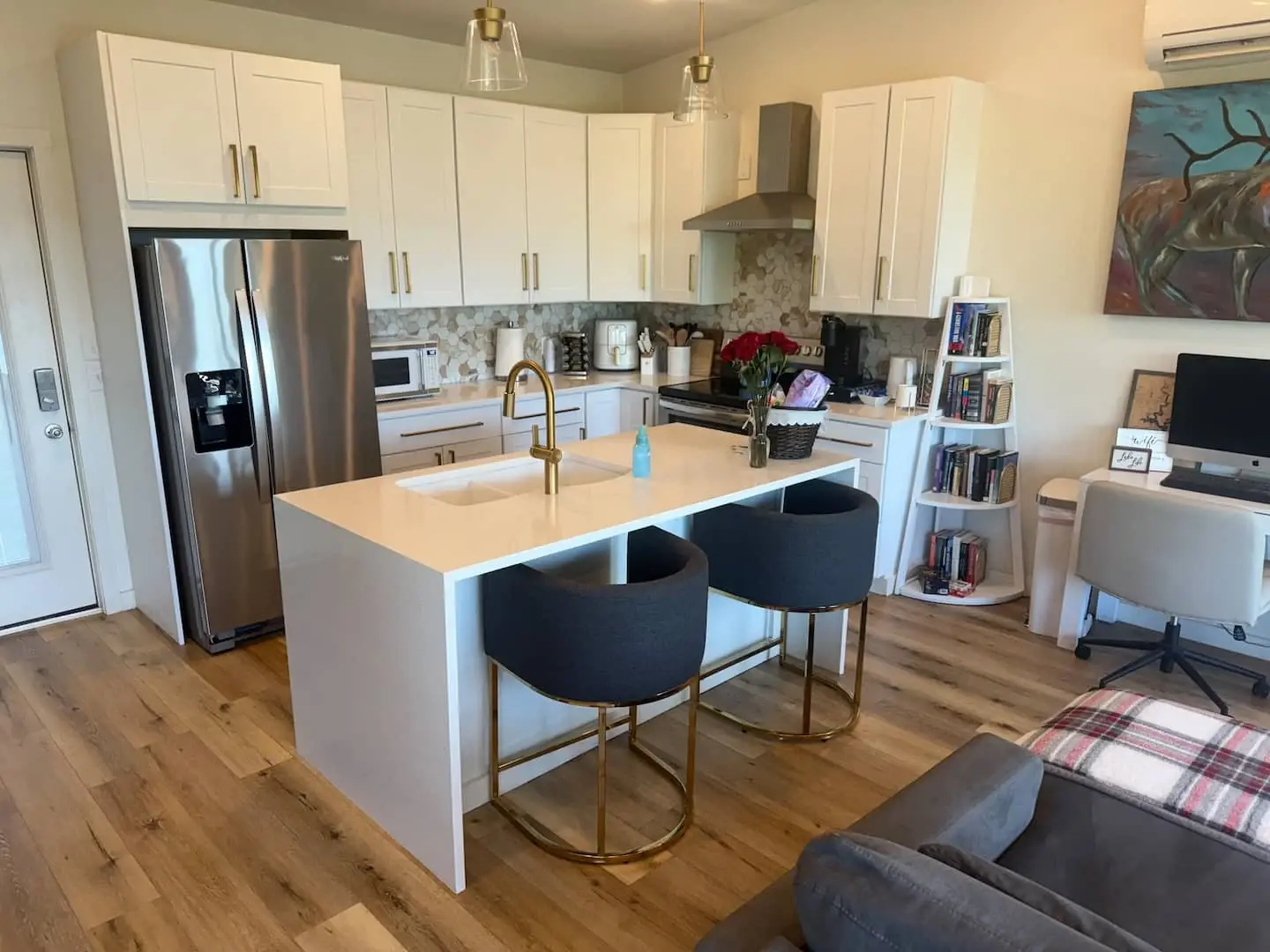
- Living, dining, and outdoor space. Show where people will eat and relax. A table for six, a covered porch, and a sofa that seats three tell me more than “spacious.” Flag which areas guests have to themselves and which they share.
- Arrival and access. Describe the parking spot, stairs, elevator, gate, or gravel drive that matters. Explain what guests can access during the stay. If someone asks about step-free entry, give measured details where you can and link to your guide to documenting property access. Send private entry codes through your normal check-in message.
Say exactly what’s included
Make a short list of what guests can count on. A “fully equipped kitchen” might mean a full oven, cookware for dinner, and a drip coffee maker with starter filters. Say whether linens and towels are included and whether paper products or coffee are stocked for the entire visit or supplied as a starter amount. If you lead with a hot tub, say whether it’s private, shared, or seasonal.
Beach chairs are a good test. “Two folding chairs and an umbrella are in the entry closet and included with your stay” tells guests what to leave at home. If the beach vendor rents loungers separately, say where they can rent them and that the cost is separate. Use the same approach for parking passes, kayaks, firewood, or pool access. Keep fees and sign-up details near the amenity so guests can see them before booking.
Describe the neighborhood and the actual trip from your door
Give guests a feel for what surrounds the rental. Is it on a quiet residential street, above restaurants, or down a wooded road? Pick two or three places guests really come for, such as a public beach entrance, a trailhead, downtown restaurants, or an event venue. Say how they’ll get there and where they’ll start. “Half a mile on foot to the public beach entrance, with one main-road crossing” is more useful than “steps to the beach.” Verify distance along the real route. If it’s a drive, say so and explain parking if it affects the trip. Put longer attraction advice in a useful local guide and link to it from the description.
See how a full description comes together
Before and after for a fictional beach condo
Before. “Beautiful condo close to everything, fully stocked, sleeps four.”
After. “Leave the car in your assigned space and walk half a mile to the public beach entrance. There’s one main-road crossing along the way. Back at the condo, have dinner on the private balcony or walk to the neighborhood restaurants.
“The condo sleeps four. The main bedroom has a queen and its own bathroom with a walk-in shower. The second bedroom has two twins and uses the hall bathroom with a tub-shower. The dining table seats four and the kitchen has a full-size oven, cookware, and a drip coffee maker with starter filters.
“Two folding beach chairs and an umbrella are included. The building pool is shared and seasonal. There’s one assigned parking space, and you’ll climb one flight of stairs to the condo. Check dates for this unit.”
I’d put the beds, bathrooms, parking, and stairs beside the photos or date button, where the group can find them on a phone. Use the example’s order and replace every detail with what’s true of your stay.
Read it on a phone before you publish
Ask someone who hasn’t stayed there to find the best feature, tell you who gets which bed, and explain how they’d get to the main attraction. If they get stuck, move the answer up or put it beside the relevant photo. Use the actual neighborhood, rental type, and best feature in the page title when it reads naturally. Update the description, captions, and listing together when something changes. See how to order and caption your rental photos.
Turn those details into a property page guests can book from
At Direct Stay Solutions, I start with your photos, floor plan, and the questions guests ask you most. We turn those details into a custom property page, set up its search foundation, and give guests a way to check dates through a compatible booking tool. See what’s included in a Direct Stay website.
Meet Dane, founder of Direct Stay Solutions

I’m Dane. Send me your listing, a few photos, and the question guests keep asking. I’ll show you what I’d put first and which details I’d move next to the rooms, amenities, and dates.