
How to Brand a Vacation Rental Guests Remember and Book Again
By Direct Stay Solutions ·
When someone tells a friend about your cabin, what do they say? Maybe it’s the porch where they drank coffee in the rain, or the lake view they could see from bed. I’d build the brand around that detail, give the place a name people can remember, and make sure they can find it again and book it by name.
Start with what guests will remember about the stay
I’d read five reviews and the last few messages before I tried to name the place. What helped people choose it? What did they talk about afterward? A couple might book for a private hot tub and remember how quiet it was on the porch. Show the tub in the gallery and give that porch the first photo if it’s what makes the stay feel different.
Write one sentence that includes who the stay suits, where it is, and what makes it memorable. For fictional Fern Porch Cabin, I’d use “A one-bedroom cabin for two near the state park, with a covered porch for slow mornings in the woods.” Put the four steps to the front door in the arrival details. Keep the promise specific enough that your photos, directions, and guest experience can back it up.
Pick a cabin name people can say, spell, and find
Say the name out loud to someone who hasn’t seen it. Ask them to type what they heard. Then search the name with your town and check similar rentals, domains, and social handles. If you run several cabins, use one name for the collection and a distinct name for each stay. Check for potential trademark conflicts before paying for signs or design. See how to pick a rental domain. Start with the USPTO’s trademark search guidance.
Make the logo and photos easy to recognize
I’d start with a readable wordmark, which is the rental name set in a distinctive type style. If you add a porch or fern symbol, make sure the name still reads beside the menu icon on a phone. Try it on a dark and light background, in the booking email, and on a black-and-white welcome sheet. Pick a lead photo that shows what people booked for and use a few supporting photos that show how the stay works.
Keep the same spelling and plain description everywhere. Say “private hot tub” only when it’s private, and label a shared pool beside the photo. The name gets remembered when the description and the actual stay agree. See how to describe the space guests will book.
See how Norfork carries one brand from the homepage to booking
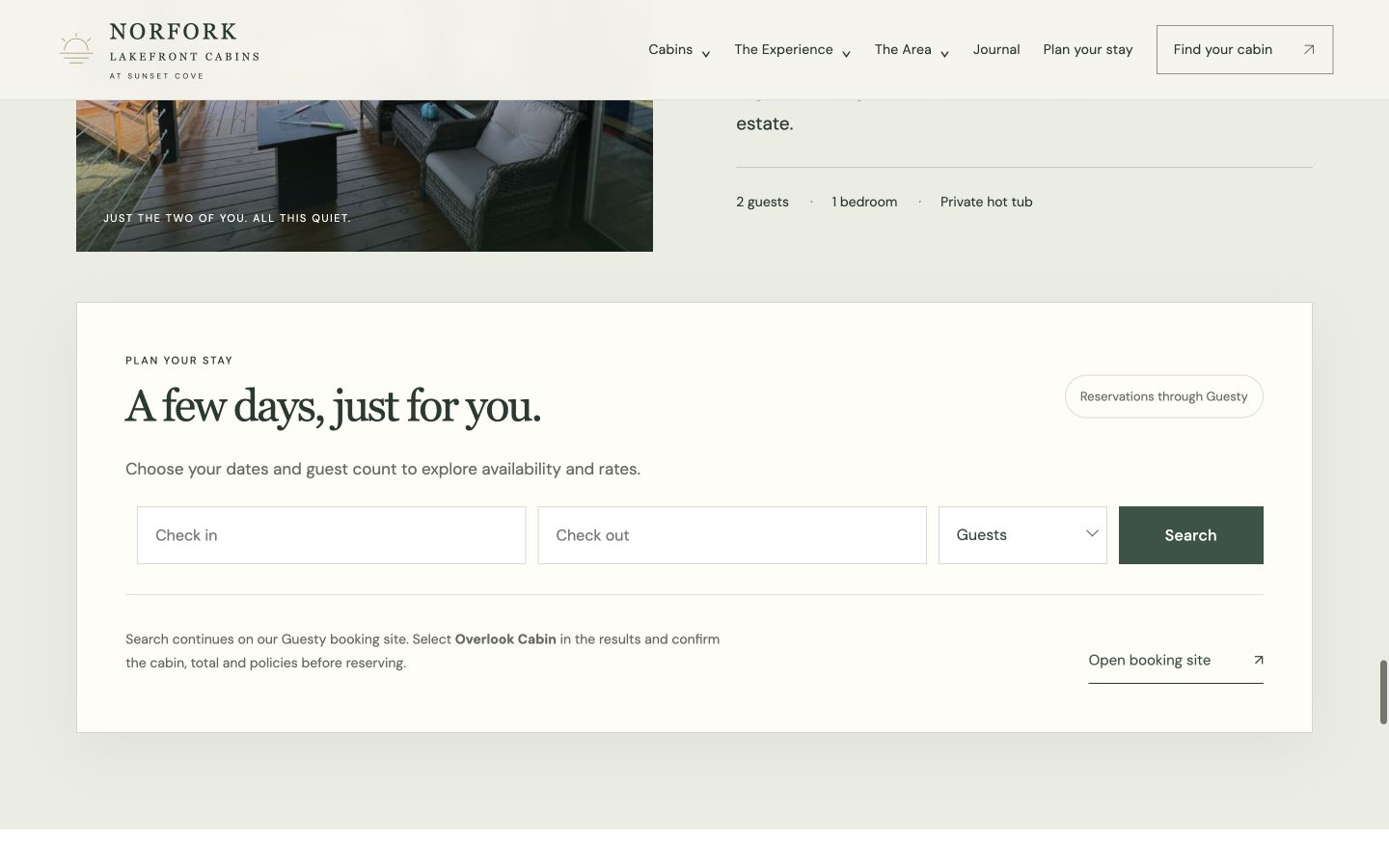
At Sunset Cove, we built one Norfork Lakefront Cabins site for three distinct stays. The landing page leads with the lake setting. The live comparison lets people choose between the Couples Retreat, Treehouse Cabin, and Mountain Cabin. Each gets its own photos and page. If the guest picks Overlook’s Couples Retreat, the dates button takes them to the Guesty availability for that cabin. See the full Norfork website project.

Help first-time guests find you and returning guests book again
Use the property name alongside the location and a real selling point in the page title. For Fern Porch, the title might be “One-Bedroom Cabin near [Park Name] with a Covered Porch | Fern Porch Cabin.” Use that cabin name on the page, in the direct booking quote, and in the confirmation. Link from relevant trip guides to the cabin, include its public URL in your sitemap, and check indexing and branded searches in Search Console. Then open the site on a phone and confirm the dates button opens the right stay. See how to check whether guests find you by name.
Use that same name on social accounts. Pin a short tour showing what the guest will remember and link to that cabin’s page. Invite guests to opt into your email list through your site or a welcome card. When next fall’s dates open, send a useful note with a favorite local outing and a link to the cabin they booked. Follow the terms that apply to marketplace guests. See a return-guest email example. See how Sunset Cove connects social posts to booking.
Keep the brand easy for your team to use
Put the approved name, one-line description, logo files, colors, core photos, and direct booking link in one folder. Give your cleaner or co-host the welcome note and sign files they’ll actually use. When a cabin name or amenity changes, update the site, listing, and confirmation together.
Give the brand a website guests can come back to
At Direct Stay Solutions, I’d start with the detail guests already tell their friends about. We shape the name and visual direction, build a search-friendly property site, and connect a compatible booking tool so guests can find the stay and check dates under the same name. Managed Website includes hosting, updates, backups, and a monthly Search Console review and report. See website plans.
Meet Dane, founder of Direct Stay Solutions

I’m Dane. Hosting taught me to listen to what guests remember after they leave. Send me your listing, a review that sounds like the trip you want to sell, and any names you’re considering. I’ll show what I’d put on the first screen and how I’d carry it through to booking.